Marketing WhatsApp Template: Boost Engagement with Webhooks 2026
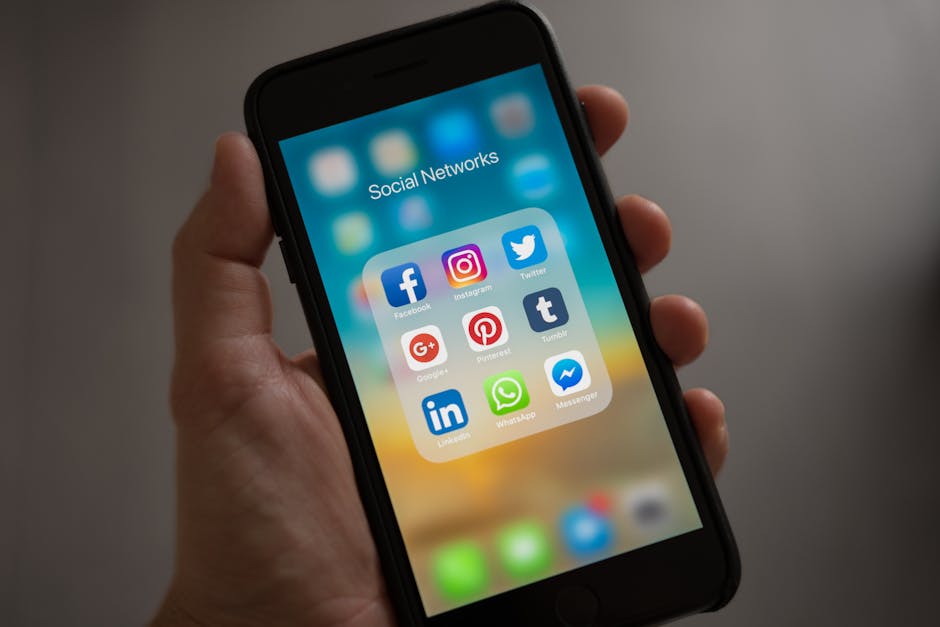
Marketing WhatsApp Template: Boost Engagement with Webhooks 2026#

Marketing WhatsApp Template: Boost Engagement with Webhooks 2026 - Illustration 1
In today’s fast-paced digital world, small businesses are constantly seeking innovative ways to engage with customers. WhatsApp, with over 2 billion active users, has become an essential platform for communication. With the right marketing WhatsApp template, you can significantly enhance engagement and conversion rates. This article explores how to effectively use WhatsApp automation with webhooks in 2026 to drive customer interaction and boost your business.
Understanding WhatsApp Automation and Webhooks
WhatsApp automation allows businesses to streamline communication and respond to customer inquiries promptly. Webhooks, on the other hand, enable real-time data exchange between applications, making it easier to automate workflows and manage interactions. Together, they create a powerful tool for enhancing customer engagement.
Why Use WhatsApp for Business?
- Direct Communication: WhatsApp offers a direct line to your customers, fostering immediate interactions.
- High Engagement Rates: Messages sent via WhatsApp have higher open rates compared to emails.
- Personalization: With the right templates, you can deliver tailored messages that resonate with your audience.
Benefits of Using a WhatsApp Template

Marketing WhatsApp Template: Boost Engagement with Webhooks 2026 - Illustration 2
A well-crafted marketing WhatsApp template can enhance your communication strategy in several ways:
- Saves Time: Pre-set responses streamline interactions and save valuable time.
- Consistency: Templates ensure your messaging is consistent across all customer touchpoints.
- Scalability: Easily scale your engagement efforts by automating responses to common inquiries.
Incorporating Webhooks for Enhanced Automation
Webhooks play a crucial role in optimizing WhatsApp automation. By integrating webhooks, you can:
- Trigger Actions Automatically: Set up real-time notifications based on user actions, such as signing up for newsletters or making inquiries.
- Collect Data Efficiently: Seamlessly gather customer data to inform your marketing strategies.
- Enhance Customer Experience: Deliver timely and relevant responses based on customer interactions.
Creating an Effective Marketing WhatsApp Template
When designing your marketing WhatsApp template, consider the following elements:
1. Personalization
Tailor your messages based on the customer's profession or previous interactions. For instance, if you’re targeting dentists, highlight services that specifically cater to dental health.
2. Problem-Aware Messaging
Identify the common challenges faced by your audience and address them directly. For example:
- For Gym Owners: “Struggling with member retention? Our personalized training plans can help keep your clients engaged!”
- For Chartered Accountants: “Tired of managing tax queries? Let us simplify your tax season with our expert guidance!”
3. Clear Call-to-Action (CTA)
Every message should encourage the reader to take a specific action, whether it’s booking an appointment, signing up for a newsletter, or contacting you for more information.
Example of a Marketing WhatsApp Template
Here’s a sample template you might use to engage leads effectively:
Hello [Customer's Name],

Thank you for reaching out! As a [Customer's Profession], we understand the unique challenges you face.
Our [Service/Product] is designed to help you [solve specific problem].

Would you like to schedule a quick call to discuss how we can assist you?

Best,
[Your Business Name]
Leveraging Autoreply Pro+ for Automation
While creating templates is essential, automating your responses is where the magic happens. Tools like Autoreply Pro+ can dramatically enhance your WhatsApp engagement efforts. This ultimate tool for small businesses intelligently detects professions, enabling you to send personalized messages that resonate with your audience.
Key Features of Autoreply Pro+:
- AI-Powered Responses: Automatically identifies customer professions and sends tailored messages.
- Seamless Integration: Easily integrates with existing systems to optimize workflows.
- User-Friendly Interface: Designed for small business owners, ensuring ease of use without technical expertise.
Conclusion
In 2026, effective customer engagement is more crucial than ever. By utilizing a marketing WhatsApp template combined with webhooks, small businesses can automate interactions, enhance personalization, and ultimately drive conversions. Tools like Autoreply Pro+ simplify this process, empowering small business owners, dentists, chartered accountants, and gym owners to focus on what they do best—serving their clients.
As you look to boost your customer engagement strategies, consider the power of WhatsApp automation with webhooks and the transformative impact of tailored messaging. Start leveraging these tools today, and watch your business thrive in the competitive landscape.
🚀 AI-Powered WhatsApp Automation
Ready to streamline your business? Try Autoreply Pro+ today and see the difference.
Join the Elite Automation Club
Get the "WhatsApp Business ROI Calculator" + Weekly Automation Tips sent to your inbox.
🔒 100% No Spam. Unsubscribe with one click.
Ready to Transform Your Business?
Join 10,000+ businesses using AutoReply Pro+ to automate WhatsApp and save 10+ hours weekly.
Download AutoReply Pro+ Free